I'm going to make a confession that might sound strange coming from someone who builds social media tools: I don't want to spend time managing social media.
I love creating content. I love the strategy. I hate the mechanical work of scheduling posts, picking times, resizing images, and doing the same thing across five platforms every single day. And I'm not alone - 90% of content creators report experiencing burnout, and 51% say the constant pressure to create new content and post across platforms is one of the biggest causes.
That's why I built Autopilot. Not as a gimmick feature with "AI" slapped on the label - as a genuine attempt to eliminate the repetitive work of social media management while keeping the quality and authenticity that makes your content yours.
This guide covers exactly how Autopilot works, the three modes you can run it in, and how to set it up without feeling like you've handed your brand to a robot.

What Social Media Autopilot Actually Means in 2026
Let's clear something up first, because "autopilot" means different things on different platforms.
Some tools call it autopilot when they auto-schedule posts you've already written. That's just a queue with a timer. Others use it to mean "we'll repost your old content on a loop." That's recycling, not automation.
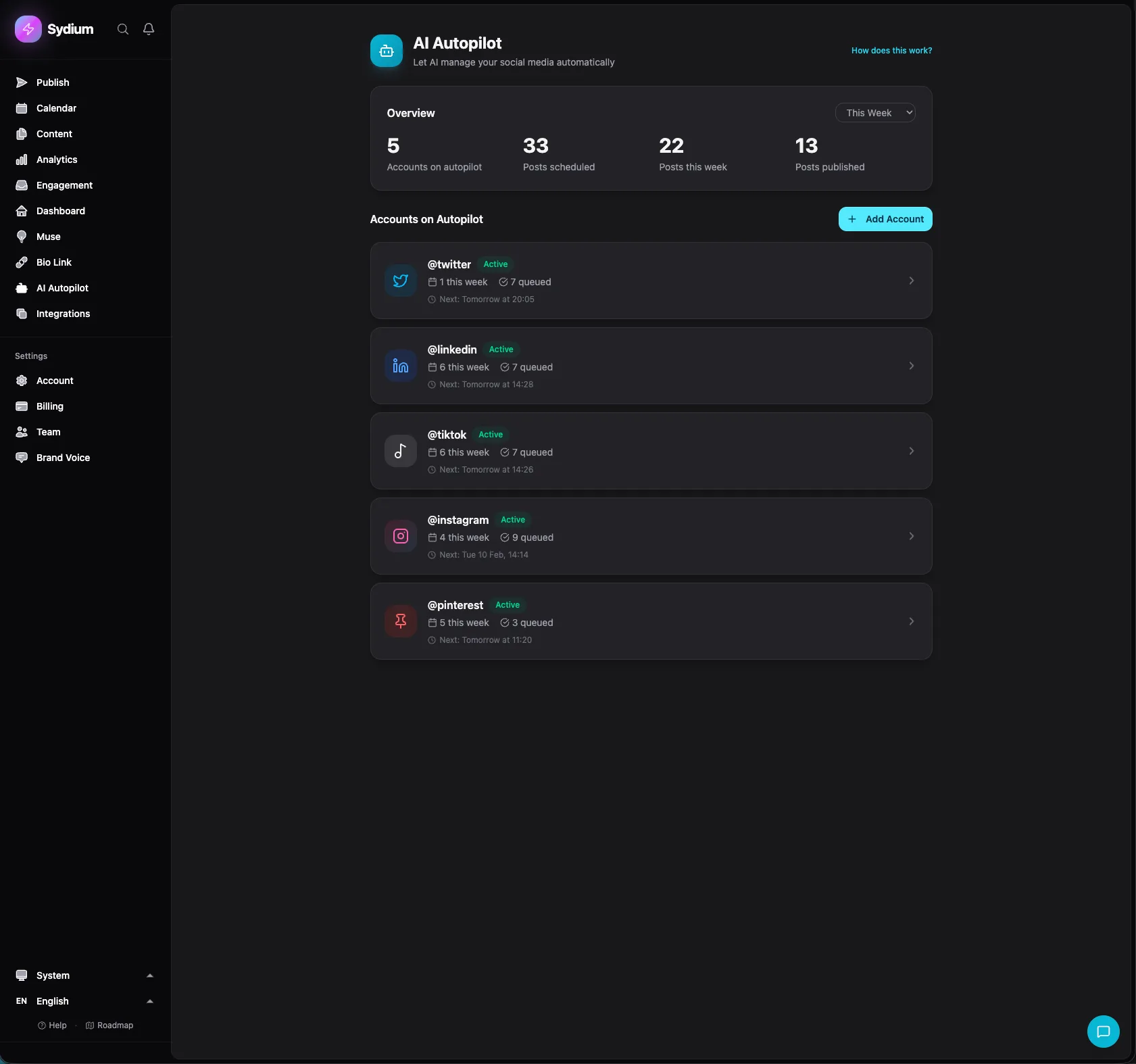
When I say Sydium Autopilot, I mean: the system generates new content in your brand voice, creates or selects images, picks optimal posting times for your audience, publishes to your connected platforms, and monitors performance - with as much or as little human oversight as you want.
The "as much or as little" part is the key. That's where the three modes come in.

The Three Modes: Pick Your Comfort Level
Every creator and brand has a different comfort level with AI-generated content. Some people want to review every word. Others want to check in once a week. A few want to set it and forget it entirely. Sydium Autopilot supports all three.
Mode 1: Full Autopilot (Zero Touch)
This is the hands-off mode. You configure your preferences once, and Autopilot handles everything from ideation to publishing.
How it works:
- Autopilot looks at your configured topics (up to 20), your Brand Voice profile, your content goals, and current trends
- It generates posts - captions, images, and format suggestions - optimized for each platform
- It schedules them at your audience's optimal engagement times
- It publishes them automatically
- It monitors performance and adjusts future content based on what works
Who it's for: Creators who have a strong Brand Voice profile trained (see our Brand Voice guide) and who trust the system after seeing it perform. Also great for secondary accounts or platforms where you want consistent presence without daily attention.
The honest truth: Full Autopilot takes trust. I recommend starting with Individual Review mode for the first 2-3 weeks, building your Brand Voice profile, and then graduating to Full Autopilot once you're confident the output matches your standards.
Mode 2: Batch Review (Review Once Per Week)
This is the sweet spot for most users. Autopilot generates a week's worth of content, and you review everything in one sitting.
How it works:
- Autopilot generates your entire week's content based on your configured schedule
- You get a notification that your batch is ready for review
- You open the batch view and approve, edit, or reject each post
- Approved posts get scheduled automatically at optimal times
- Rejected posts get regenerated or removed from the queue
Who it's for: Creators and brands who want AI leverage without giving up editorial control. Agencies managing multiple clients. Anyone who wants to batch their social media work into one focused session per week.
The time math: If you're posting 7 times per week across 3 platforms, that's 21 individual scheduling actions. In Batch Review mode, you spend 30-45 minutes reviewing instead of 5-7 hours creating and scheduling from scratch. AI saves marketers more than 5 hours weekly on content tasks, and Batch Review is where most of that savings comes from.
Mode 3: Individual Review (Approve Each Post)
Maximum control. Every post requires your explicit approval before it goes live.
How it works:
- Autopilot generates a post based on your schedule and topics
- You get a notification for each post before its scheduled time
- You approve, edit, or reject it
- Only approved posts get published
Who it's for: New users building their Brand Voice profile. Brands in regulated industries. Anyone who wants AI to do the drafting but wants final say on every piece of content.
When to use it: This is the best starting mode. It lets you train the feedback loop (approvals, edits, and rejections all teach the AI) while maintaining complete control. After 2-3 weeks, most users move to Batch Review.
The Safety Net (What Keeps You From Going Viral for the Wrong Reasons)
I know what you're thinking: "What if Autopilot posts something that makes me look terrible?"
Fair concern. Here's what's built in:
Engagement Drop Detection
Autopilot monitors your engagement metrics in real-time. If it detects a significant drop compared to your average performance, it flags the issue and can pause automatic publishing until you review what's happening.
Low Confidence Alerts
The AI assigns a confidence score to each generated post. If it's working with a topic or format it's less sure about, it flags the post for manual review even in Full Autopilot mode. The system doesn't guess when it's uncertain - it asks.
Image Approval Requirements
AI-generated images always require approval in Full Autopilot mode. The AI can select images from your asset library or generate new ones, but visual content has higher stakes than text (one wrong image and you've got a brand crisis). So images always get an extra checkpoint.
Trending Sound Approval
If Autopilot suggests using a trending audio or sound for Reels or TikTok, it flags it for your approval. Trending sounds change context quickly, and what's funny on Monday can be inappropriate by Wednesday.
Conflict Avoidance
Autopilot checks for scheduling conflicts, duplicate content, and topic repetition. It won't post about the same subject twice in a row or schedule posts too close together.
Full Audit Trail
Every action Autopilot takes is logged. You can see what was generated, when it was published, what was edited, and what performance it got. Nothing happens in a black box.
Setting Up Autopilot (15 Minutes to Hands-Free)
Setting up Autopilot takes about 15 minutes. The configuration wizard walks you through each step:
Step 1: Select Accounts
Choose which connected social accounts Autopilot should manage. You can run Autopilot on your Instagram and TikTok while still manually managing LinkedIn, or any combination.
Step 2: Select Brand Voice
Choose which Brand Voice profile to use. If you haven't created one yet, the wizard will prompt you to set one up. The stronger your voice profile, the better Autopilot performs. I'd recommend having at least a quality score of 50 before enabling Autopilot.
Step 3: Set Your Goal
What are you optimizing for?
- Engagement - Maximize likes, comments, shares
- Reach - Maximize impressions and new audience
- Traffic - Drive clicks to your website or link in bio
- Balanced - Equal weight across all metrics
This setting influences the type of content Autopilot generates. Engagement-focused content tends to be more conversational and question-driven. Reach-focused content leans into trending topics and shareable formats. Traffic-focused content includes stronger calls to action.
Step 4: Define Topics
Add up to 20 topics that Autopilot should create content about. Be specific. "Marketing" is too broad. "Instagram Reels strategy for e-commerce brands" gives the AI something to work with.
You can also set excluded topics - things Autopilot should never post about. Politics, competitors, sensitive subjects - whatever is off-limits for your brand.
Step 5: Set Posting Frequency
Choose how many posts per week Autopilot should generate. The limits depend on your plan:
- Free: 1 account, up to 7 posts/week (14 total during trial)
- Pro: 5 accounts, up to 7 posts/week each
- Agency: 20 accounts, up to 7 posts/week each
- Enterprise: 50 accounts, up to 14 posts/week each
Research from HubSpot and others shows that companies publishing frequently generate 3.5x more inbound traffic than those posting 0-4 times monthly. But consistency matters more than volume. Pick a frequency you can sustain.
Step 6: Choose Your Approval Mode
Select Full Autopilot, Batch Review, or Individual Review. You can change this anytime.
Step 7: Set Posting Windows
Define when Autopilot can publish. Set preferred days, time windows, and whether to include weekends. Autopilot will find optimal times within your windows using your audience's engagement data.
You can also enable "Optimal Times" which lets Autopilot analyze your historical engagement data and pick the best slots automatically. Research shows AI-backed optimal time scheduling improves engagement by 25-40% versus fixed scheduling.
Step 8: Content Types
Choose which formats Autopilot can create: single image posts, carousels, text-only posts, Reels/short video captions, Stories. The more formats you enable, the more variety Autopilot can create.
Step 9: Muse Integration
Optionally connect Sydium Muse to Autopilot. Set a trend ratio (10-90%, default 30%) that determines what percentage of Autopilot content should be inspired by trending topics from your Muse briefing. The rest comes from your configured topics.
This is powerful because it means Autopilot doesn't just post about what you planned - it also capitalizes on what's trending in your niche right now.
How Autopilot Compares to Other Tools
The social media autopilot space has grown significantly. Here's an honest comparison:
FlowPost
FlowPost is probably the most direct competitor. It learns your writing voice, generates content with AI, and publishes across 8 platforms automatically. Users report saving 15+ hours weekly.
How Sydium differs: FlowPost focuses on the generate-and-publish cycle. Sydium adds the Brand Voice feedback loop (approval/edit/skip learning), multi-mode control (FlowPost doesn't have an equivalent to Batch Review), safety systems like engagement drop detection, and deeper integration with features like Muse trending content. FlowPost's Basic Plan starts at $29/month for 5 accounts and 20 AI credits. Sydium's Pro starts at $19/month.
Predis.ai
Predis.ai generates full social posts from a text prompt - images, captions, hashtags, and videos. Their visual content generation is strong.
How Sydium differs: Predis excels at visual content creation but doesn't have the same depth of brand voice training. It generates from prompts rather than learning from your existing content. Predis also lacks the three approval modes and the goal-based optimization system.
SocialBee AI Copilot
SocialBee asks about your campaign goals and generates posts ready to publish. Good for content categorization and planning.
How Sydium differs: SocialBee organizes content into categories and recycles evergreen posts. It's more of a planning tool than a true autopilot. The AI generates initial content but doesn't continuously learn from your feedback or adapt to engagement patterns.
Hootsuite OwlyWriter AI
Hootsuite's OwlyWriter generates platform-optimized captions, repurposes top-performing posts, and suggests posting schedules based on engagement.
How Sydium differs: OwlyWriter is an AI writing assistant, not an autopilot system. It helps you write faster, but you're still doing the scheduling and publishing workflow manually. Hootsuite's Professional plan starts at $99/month.
Buffer AI
Buffer's AI drafts captions and extracts social snippets from articles. Simple and clean.
How Sydium differs: Buffer's AI is a writing aid within a scheduling tool. There's no autopilot mode, no automatic publishing, and no brand voice training beyond basic tone settings. Buffer's strength is simplicity, but if you want true automation, it doesn't go far enough.
The Pattern
Most tools offer AI writing assistance. Fewer offer autonomous publishing. Almost none offer the combination of deep brand voice training, multiple control modes, safety systems, and cross-feature integration. That's the gap Sydium Autopilot fills.
Real-World Autopilot Workflows: Three Users, Three Setups
Here's how different users actually use Autopilot:
The Solo Creator
Setup: 3 platforms (Instagram, TikTok, LinkedIn), 5 posts/week each, Batch Review mode.
Weekly workflow: Sunday evening, open batch review. 15 posts ready. Approve 10, edit 3, reject 2. Total time: 35 minutes. The rest of the week, Autopilot handles scheduling and publishing.
Result: Consistent posting across 3 platforms with less than an hour of work per week. That's down from the 3+ hours daily typical for manual content creation.
The Small Agency
Setup: 8 client accounts across Instagram and Facebook, 7 posts/week each, Individual Review mode for new clients, Batch Review for established ones.
Weekly workflow: Monday morning, review batch for 5 established clients (35 posts total, ~1 hour). Throughout the week, review individual posts for 3 newer clients as they come in (~30 minutes/day). Total: ~3.5 hours/week for content that would take 15+ hours manually.
Result: The agency can take on more clients without hiring more content creators.
The E-Commerce Brand
Setup: 4 platforms, 7 posts/week, Full Autopilot with Muse integration at 30% trend ratio.
Weekly workflow: Check the dashboard Monday morning to review last week's performance. Glance at what's scheduled this week. Total active time: 15 minutes.
Result: Always-on social presence that capitalizes on trending topics while staying on-brand. Human time redirected to product development and customer service.
The Feedback Synthesis Engine
Here's something that doesn't get enough attention: Autopilot doesn't just generate content in isolation. It synthesizes feedback across your entire usage pattern.
When you approve a post, the system learns that combination of topic, format, tone, and timing worked for you. When you edit a caption, it learns your specific adjustments. When you skip content about a particular topic, it learns to deprioritize it.
This feedback feeds back into:
- Brand Voice - Your voice profile gets sharper
- Topic selection - Future content aligns with what you approve
- Format preferences - If you keep rejecting carousels and approving single images, Autopilot adjusts
- Timing patterns - If posts scheduled at certain times consistently underperform, Autopilot shifts away from those slots
The system gets better every week. And because it's learning from your actual behavior (not just what you say you want), it captures preferences you might not even be conscious of.
Questions Everyone Asks (And the Honest Answers)
"Will my audience know it's AI-generated?"
If your Brand Voice profile is well-trained and you've gone through at least 2 weeks of the feedback loop, the output should sound like you wrote it. The whole point of the system is that generic AI output isn't good enough. That said, 68% of marketers still require human review before publishing AI content, which is why Batch Review mode exists. Check the content. Edit what needs editing. The AI handles the heavy lifting, you handle the final polish.
"What if I want to post something manually?"
Autopilot doesn't take over your account. You can always create and schedule manual posts alongside Autopilot content. The conflict avoidance system ensures Autopilot won't schedule something too close to your manual posts.
"How much content does Autopilot need to learn from?"
The more the better, but it works with your Brand Voice profile, which can be built from as few as 10-15 posts per platform. The initial quality won't be as high as someone who connected accounts with 50 posts each, but the feedback loop closes the gap quickly.
"Can I use Autopilot for only some platforms?"
Yes. You can run Autopilot on Instagram and TikTok while manually managing LinkedIn and X. Each platform is independently configurable.
"What happens if I don't review Batch Review content on time?"
The posts stay in draft. They don't publish without your approval in Batch Review mode. If you miss the review window, the content is still there for you to review and schedule at a later time.
"Can I pause Autopilot temporarily?"
Yes. One click to pause, one click to resume. Useful for holidays, product launches where you want manual control, or any period where you want to step back in.
The 5-Week Path From Skeptic to Hands-Free
Here's my recommended path:
- Week 1-2: Use Individual Review mode. Train your Brand Voice profile. Edit every generated post to teach the feedback loop.
- Week 3-4: Switch to Batch Review. Review once per week. Edit less because the AI has learned from your first two weeks.
- Week 5+: If you're approving 70%+ without edits, consider Full Autopilot for secondary platforms. Keep Batch Review for your primary platform where you want to maintain the closest oversight.
You don't have to reach Full Autopilot. Many users stay in Batch Review permanently because they enjoy the weekly review session. The point isn't to remove you from the process - it's to remove the parts of the process you don't enjoy.
Start your Autopilot setup in your Sydium dashboard. The configuration wizard takes about 15 minutes, and you'll have your first batch of content ready for review within the hour.
Social media management shouldn't be a full-time job for people whose full-time job is something else. Autopilot exists so you can stay visible, stay consistent, and stay sane - without spending your mornings staring at a blank caption box. Start with Individual Review. Let the system earn your trust. And when you're ready, let go of the wheel. Your content won't miss a beat.
Is social media autopilot safe for my brand reputation?
Sydium Autopilot includes engagement drop detection, low confidence alerts, image approval requirements, and a full audit trail. You can set excluded topics and always have the option to review content before it publishes. Start with Individual Review mode to build trust.
How many posts can Autopilot generate per week?
It depends on your plan. Free users get up to 7 posts/week for 1 account. Pro gets 7/week across 5 accounts. Agency gets 7/week across 20 accounts. Enterprise gets 14/week across 50 accounts.
Does Autopilot work with AI-generated images?
Yes. Autopilot can generate images using AI or select from your uploaded asset library. AI-generated images require approval even in Full Autopilot mode as an extra safety layer.
Can I switch between modes anytime?
Yes. Switching between Full Autopilot, Batch Review, and Individual Review is instant. Your configuration, topics, and Brand Voice profile stay the same.
How does Autopilot pick optimal posting times?
It analyzes your historical engagement data per platform to find when your specific audience is most active. If you don't have enough data yet, it starts with research-backed optimal times for your industry and adjusts as it gathers your performance data.
What's the difference between Autopilot and just scheduling posts?
Scheduling tools require you to create the content and pick the times. Autopilot handles content generation, image creation/selection, optimal time selection, publishing, and performance monitoring. It's the difference between driving a car with cruise control and driving a self-driving car.
Related free tools
Free, no signup, runs in your browser.
- Best Time to Post Calculator - Find the optimal posting times for each platform based on engagement research.